01 / 15
AI SHERPA  ·  HAAB  ·  JUNE 23 2026
AI Sherpa WWW.AISHERPA.ME

1, 2, 3
Claude

The three levels of Claude and what to ask of each one.

Workshop Lead Santiago Restrepo
Co-Facilitator Chris Gil

WHO WE ARE

We help founders and teams put AI to solve real problems.

500+ hours of hands-on
AI coaching

We are not a course. We sit beside you and put AI to work on the problems you already have.

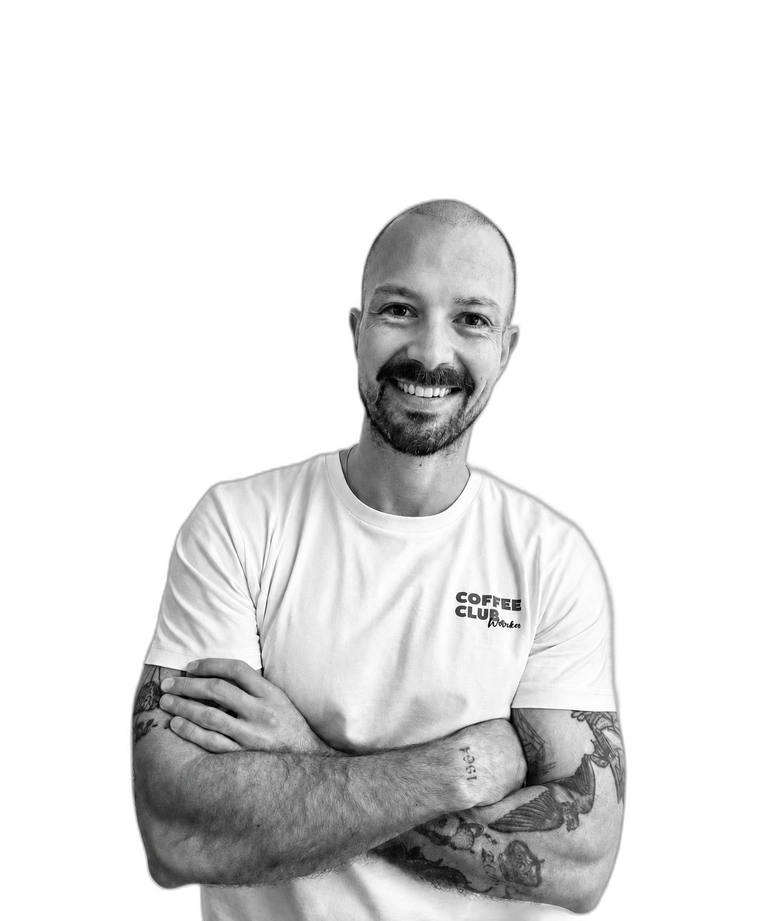
Santiago Restrepo Santiago Restrepo FOUNDER
STRATEGIC CONSULTING
Chris Gil Chris Gil CO-FOUNDER
BRANDING & MARKETING

Calibrate the Room

Where are you with AI today?

1
Curious, but I have not really tried it
2
I use ChatGPT or similar now and then
3
I am a daily AI user
4
I pay for an AI tool
5
I build or automate with AI

ANTHROPIC'S REAL PRODUCT

The product is the intelligence itself.

Haiku, Sonnet, Opus, Fable
Haiku Fast and lightweight, for quick high-volume tasks.
Sonnet The balanced default for most everyday work.
Opus The most capable, for the hardest reasoning.
Fable The newest and most experimental, rarely seen.

To let people actually use these models, Anthropic built three environments to work with them.

The Framework

There are three ways to work with Claude.
Most people don't know the difference.
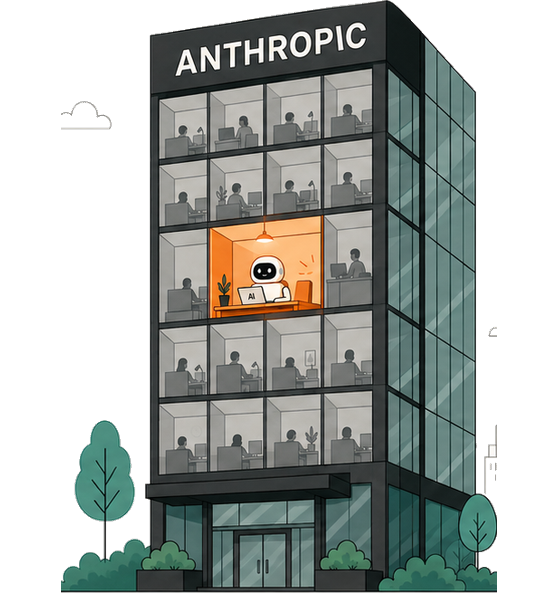
Claude Chat
1 Claude Chat / WEB
Claude Cowork
2 Claude Cowork / DESKTOP
Claude Code
3 Claude Code / TERMINAL
Claude Chat illustration

1 · Web

Claude Chat

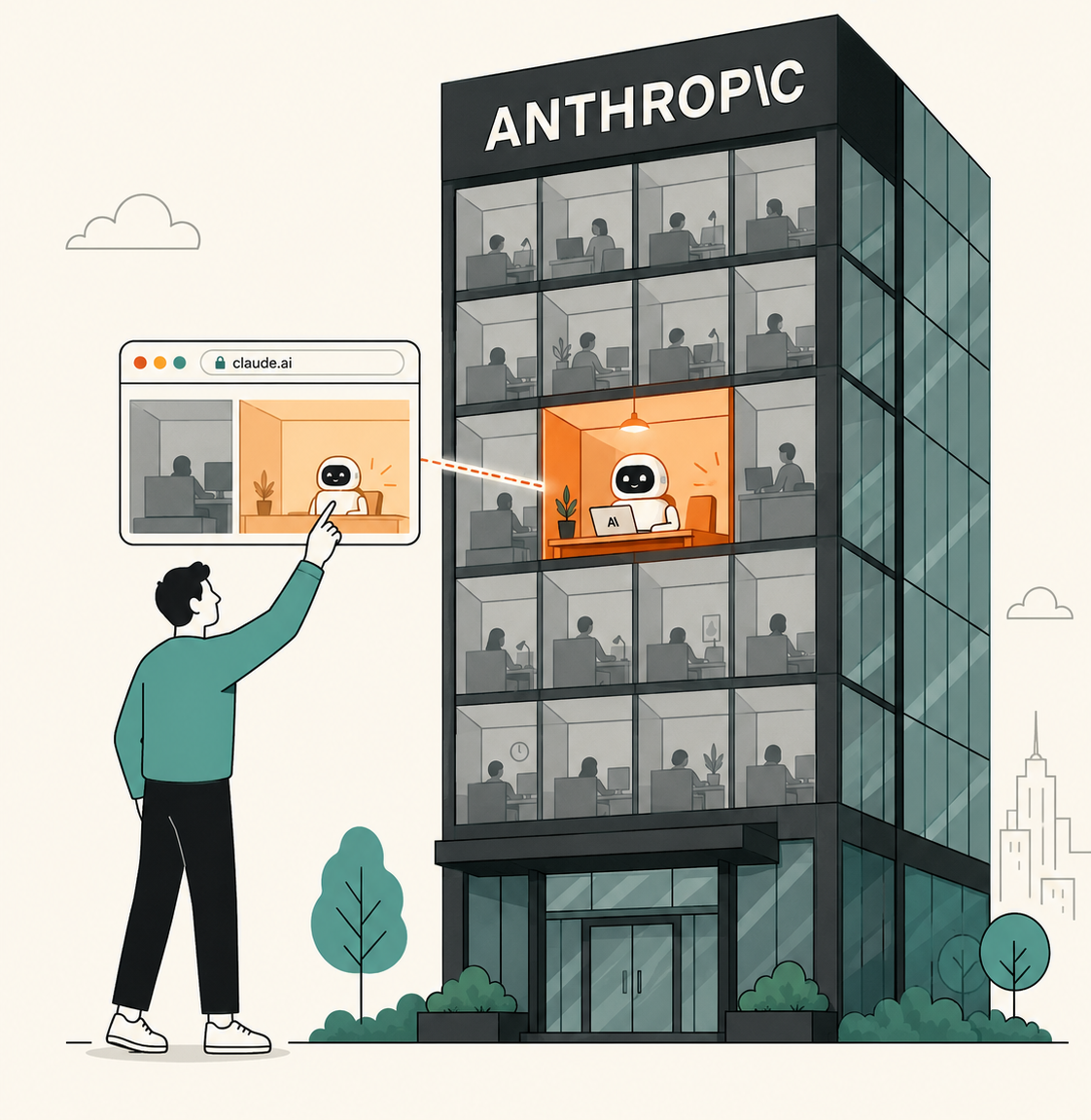
You rent a cubicle in their building.

You rent a workspace inside Anthropic's offices. Your password is the key to your account, and your files live on their servers, not yours. Space is limited, but you can reach it from anywhere, even your phone.

Instruction layer: Master Prompt

Claude Cowork illustration

2 · Desktop

Claude Cowork

You bring the mind into your own house.

Instead of going to their offices, you bring Claude home. It works directly in the folders on your computer: no uploads, no size limits. Folder instructions give it a memory that loads every session. Powerful, with guardrails still on.

Instruction layer: Folder instructions

Claude Code illustration

3 · Terminal

Claude Code

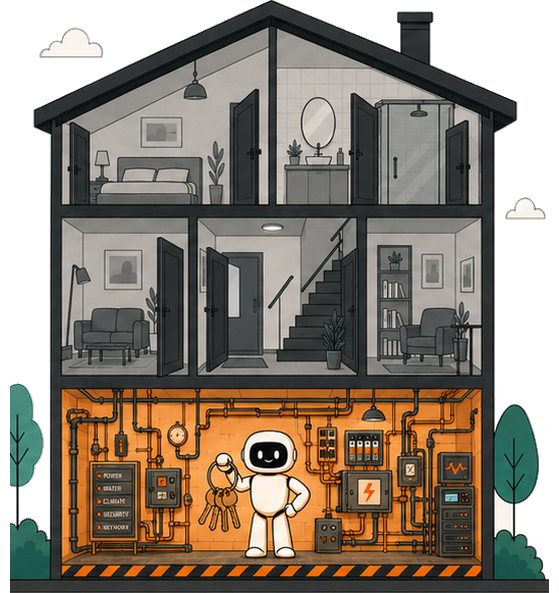
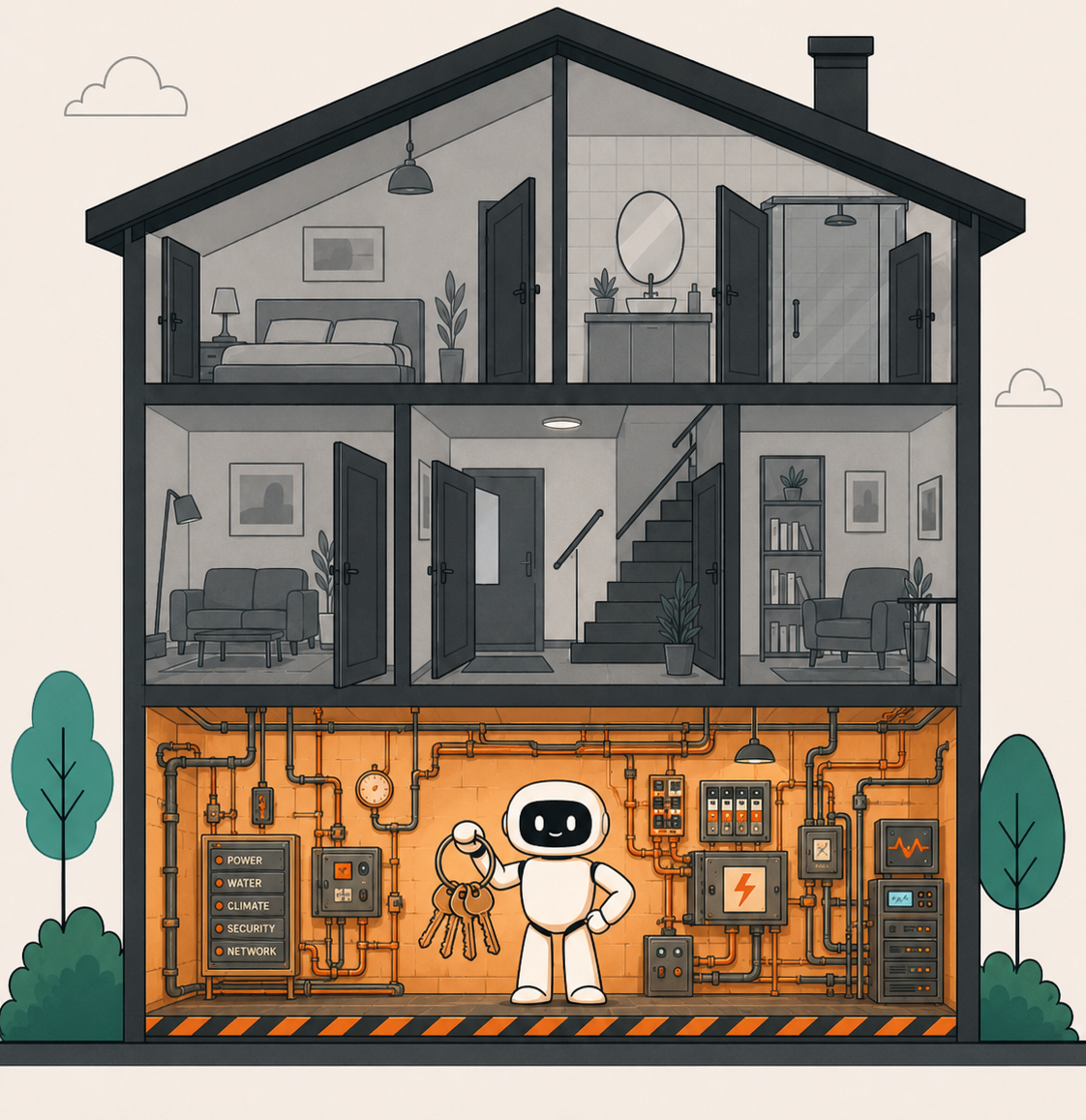
You hand over the keys to the whole house.

Full access to your machine. It can build, run, and ship, not just talk. The most powerful and the most technical of the three. Memory, skills, and automations all live here.

Instruction layer: CLAUDE.md, skills, hooks

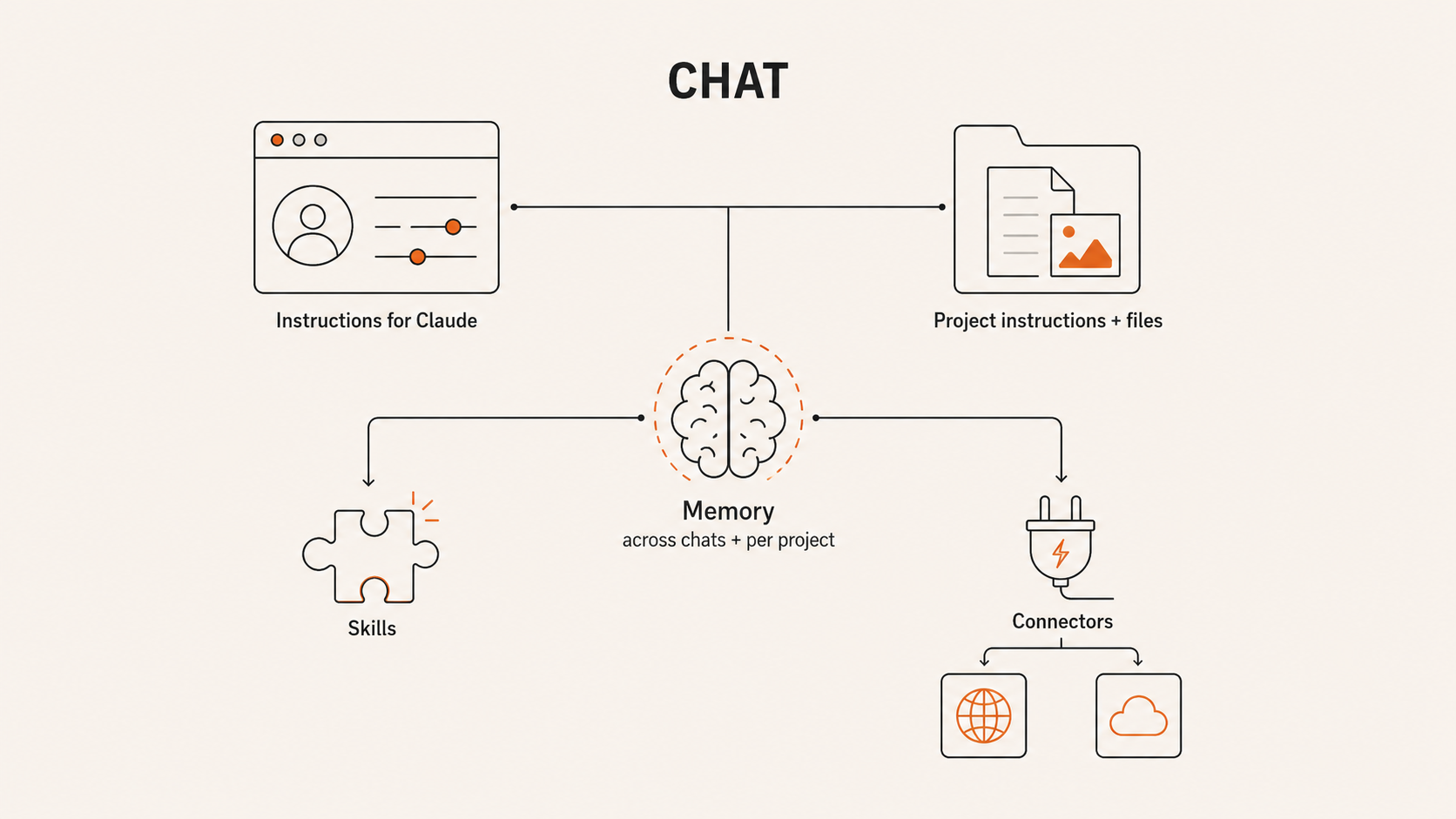
Chat: instructions, project context, memory, skills, connectors
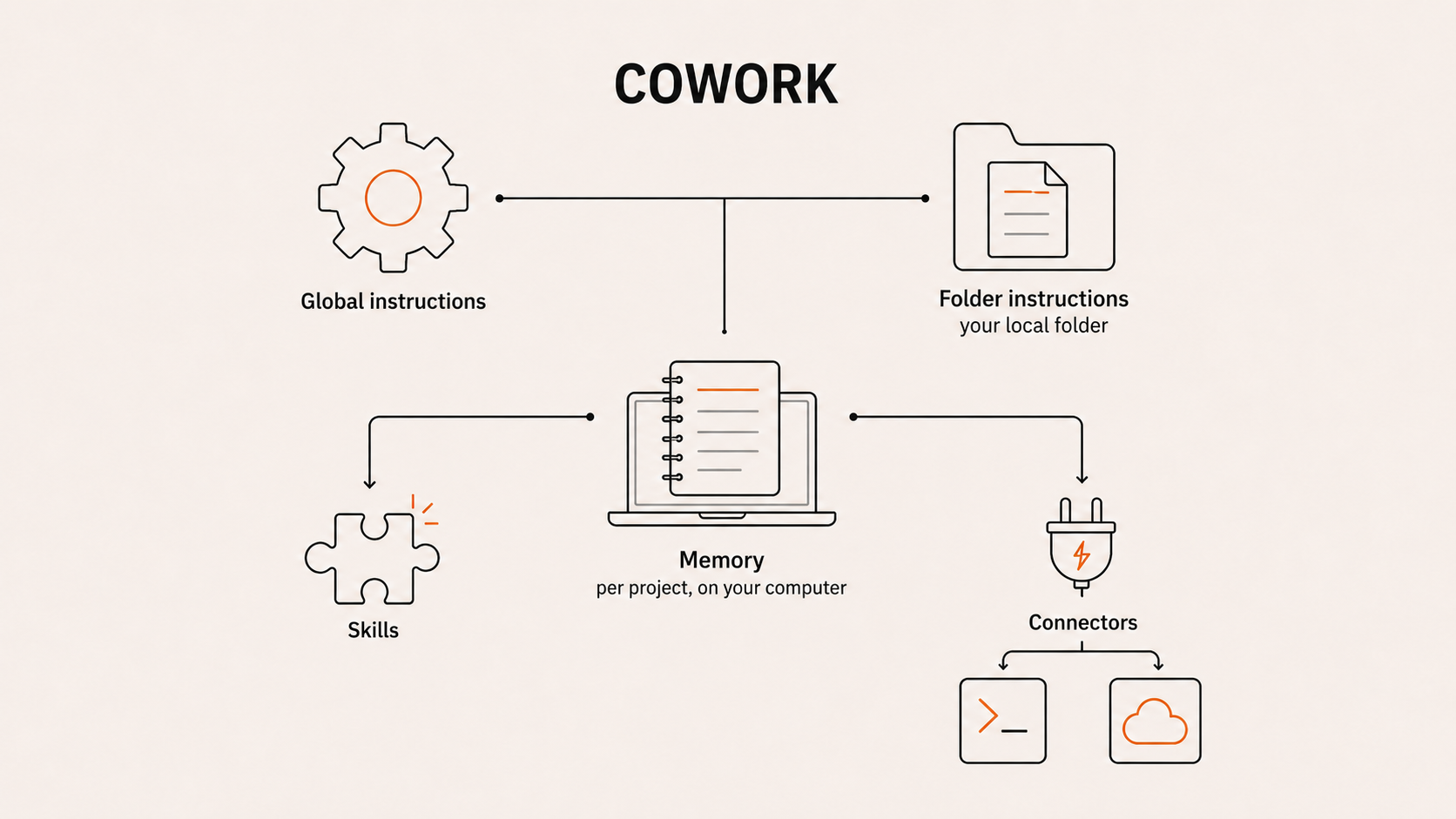
Cowork: global instructions, folder instructions, memory, skills, connectors
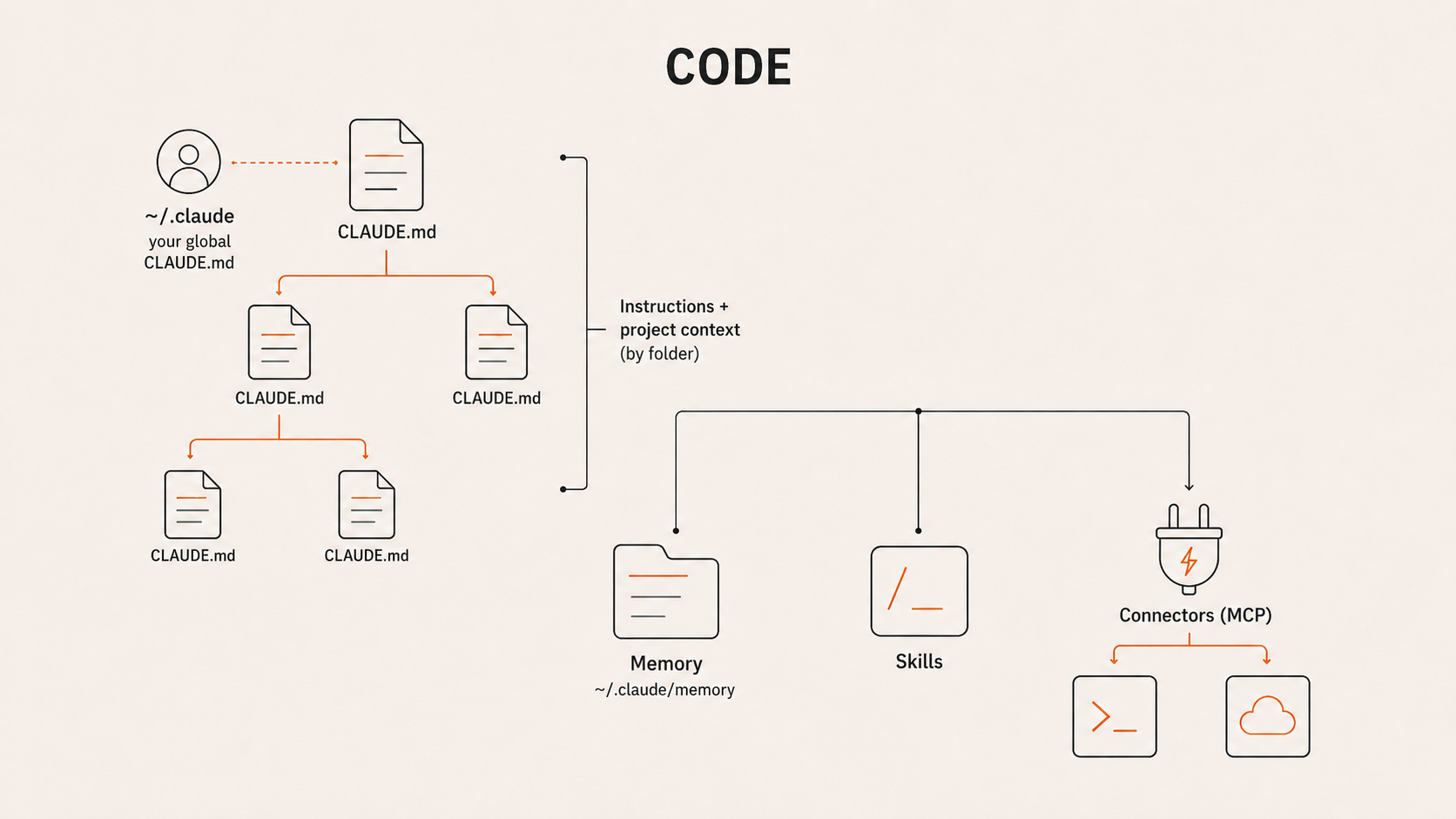
Code: CLAUDE.md hierarchy, memory, skills, connectors

THE SAME FIVE IDEAS, EVERYWHERE

What lives where.

ChatCoworkCode
Standing instructionsInstructions for ClaudeGlobal instructionsA CLAUDE.md file
Project contextProject instructions + filesFolder instructions + a folderCLAUDE.md per folder
MemoryAcross chats + per projectPer project, on your computerA memory folder
SkillsYesYesYes
ConnectorsYes (cloud)Yes (local + cloud)Yes (local + cloud)
Robot holding a CLAUDE.md note

THE ONE FILE TO REMEMBER

CLAUDE.md: the note Claude reads every time.

Think of CLAUDE.md as a sticky note left inside a folder. Every time Claude opens that folder, it reads the note first: who you are, how you work, what matters. Each surface has its own version of that note.

Chatthe Project instructions
Coworkthe Folder instructions
Codethe CLAUDE.md file itself

Now let's go build with it.

Demo 1 · Claude Chat

Start at the front door: Claude.ai.

What it is

Claude.ai, in your browser or on your phone. The most accessible way in, and where most people meet Claude.

Where we will take it

Past quick answers. We give Claude a Master Prompt, then build a specialist that does real work.

Like renting a cubicle in Anthropic's building.

Working with Claude.ai in the browser

Demo 1 · The Master Prompt

Tell Claude who you are. Once.

Most people treat Claude like Google: short questions, generic answers. The unlock is context. Answer eleven questions out loud, and Claude writes your Master Prompt.

The 11 questions

Built once, by voice

1Your name and what you do
2Years in your field, and where you have worked
3The two or three projects that define you
4What you are working on right now
5The biggest problem you are solving today
6Your strongest belief about your work
7The tone you want from Claude, and the one you do not
8The role Claude should play: assistant, partner, or coach
9The habits that work against you, and what to flag
10Who you work with and for
11The language you work in
01Answer 11 questions out loud
02Wispr Flow turns your voice into text
03Ask Claude to write your Master Prompt
04Paste it into your profile
A living document. Refresh it after any big change, or at least every six months.

Demo 1 · Build a specialist

Build a specialist, then put it to work.

Now that Claude knows you, give it one job. The same idea, getting more specific each step.

Knows you

Master Prompt

General context about who you are and how you work.

general
One job

System Prompt

A specialist built for one task, dropped into a Project.

specific
Delivers

Real task

Finished deliverables, ready to use.

result

Demo 1 · The System Prompt

Give it real expertise.

You don't have to be the expert. Claude researches the field first, then writes the brief that makes it one.

A System Prompt is the brief for one job: the frameworks it follows, the method it uses, and what a good result looks like.

Frameworks Method Guardrails Output format Voice

Built with Deep Research

01Define the one job
02Deep Research the ideal expert
03Claude writes the System Prompt
04Drop it in a Project, then run the task
Claude does the research, so you don't have to be the domain expert.

Demo 1 · Two kinds of instruction

Master Prompt vs System Prompt.

Everywhere

Master Prompt

About you.

Lives in your profile. Applies to every chat you start.

One project

System Prompt

About one job.

It is the project's instructions. Applies inside that Project only.

Demo 1 · The payoff

One brief. Two finished deliverables.

Birdman Falcon plant protein
Analyze Birdman's positioning
Deliverable 01

A visual analysis

The full brand breakdown as a self-contained artifact: see at a glance what is going on.

Deliverable 02

An email to the team

Findings and recommendations, drafted straight into Gmail through the connector.

From a single brief, Claude returns finished work in two formats at once: no code, no special tools, just the context you gave it.

Demo 2 · Claude Cowork

Now bring Claude to your files.

The wall in Chat

Claude.ai is capped on file size and cannot reach your computer. You upload one file at a time.

What Cowork changes

Claude works directly inside a folder on your machine: every file at once, no uploads, no size limits.

Claude working inside a folder on your computer

Demo 2 · What we start with

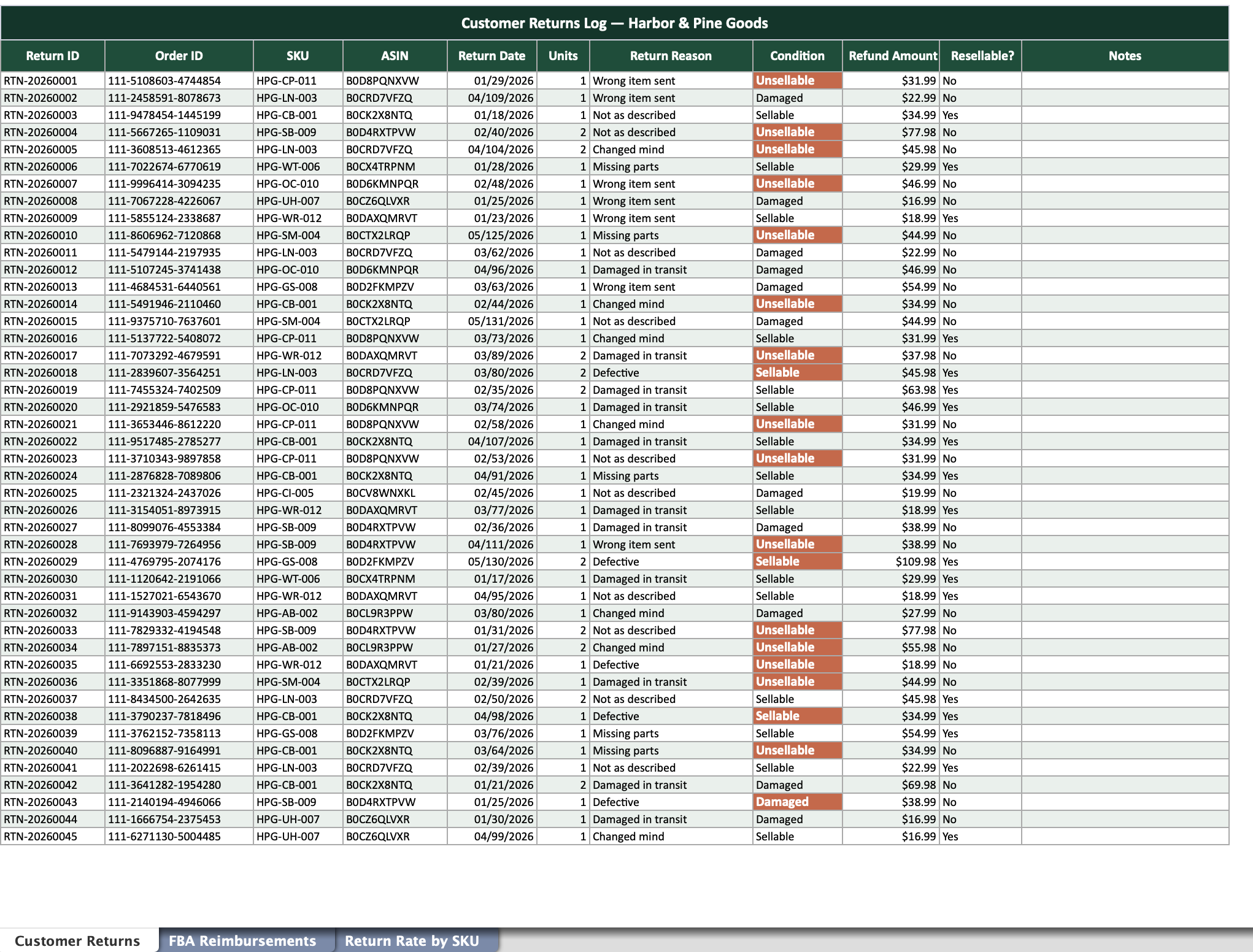
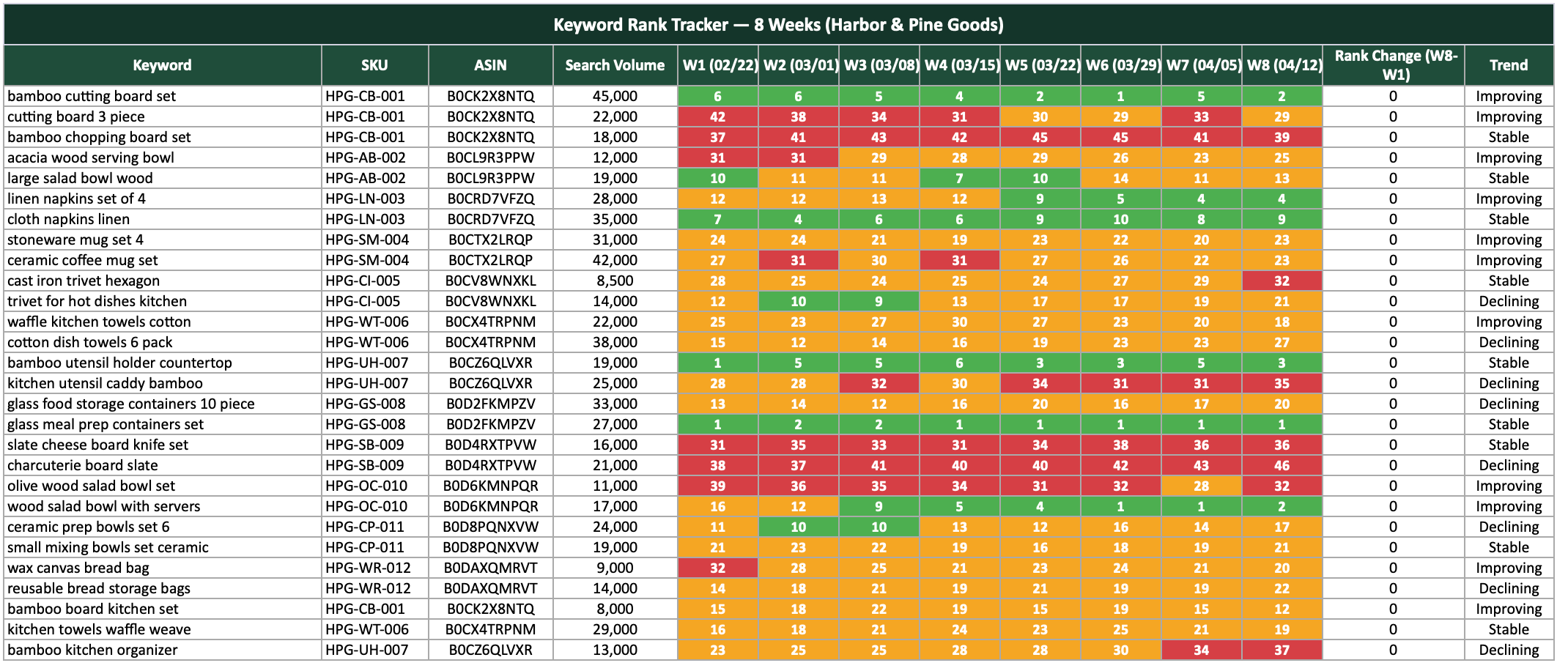
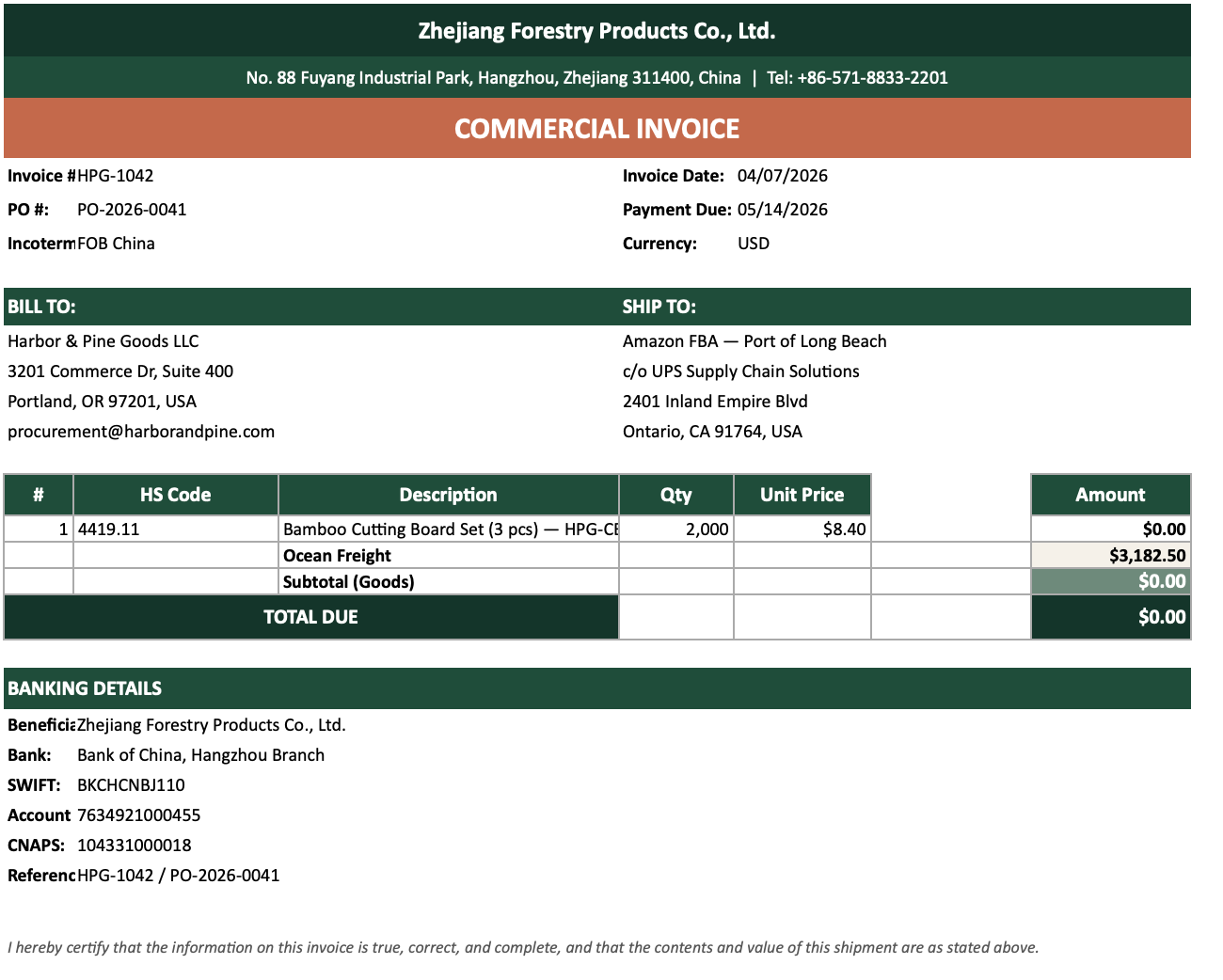
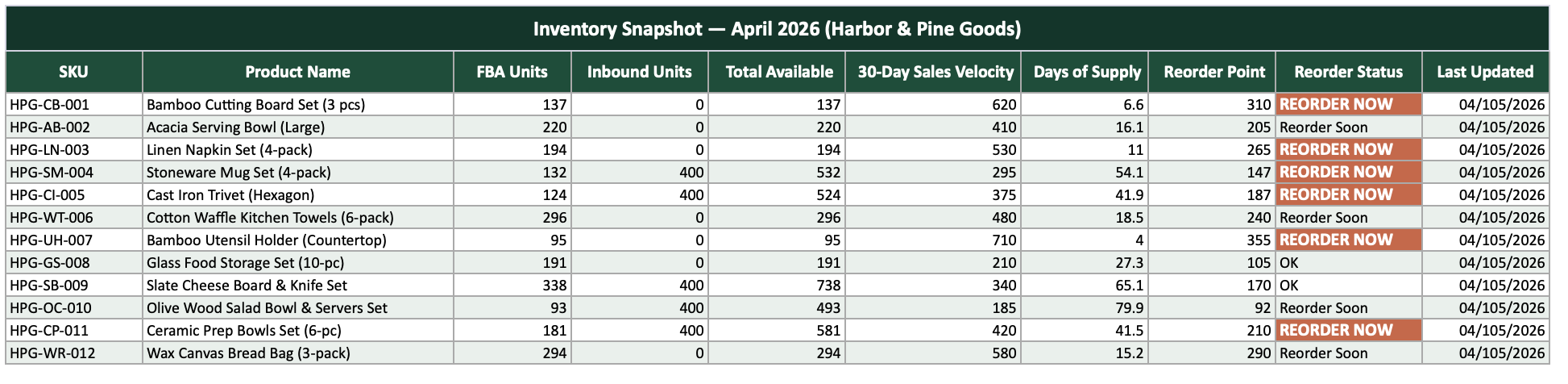
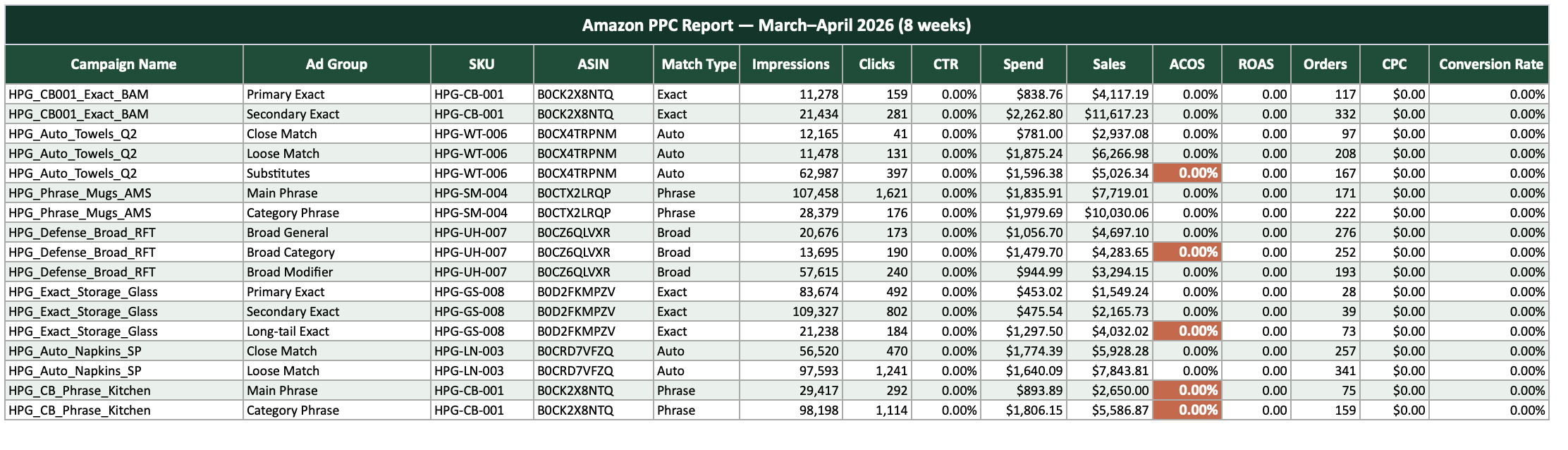
A folder full of spreadsheets.
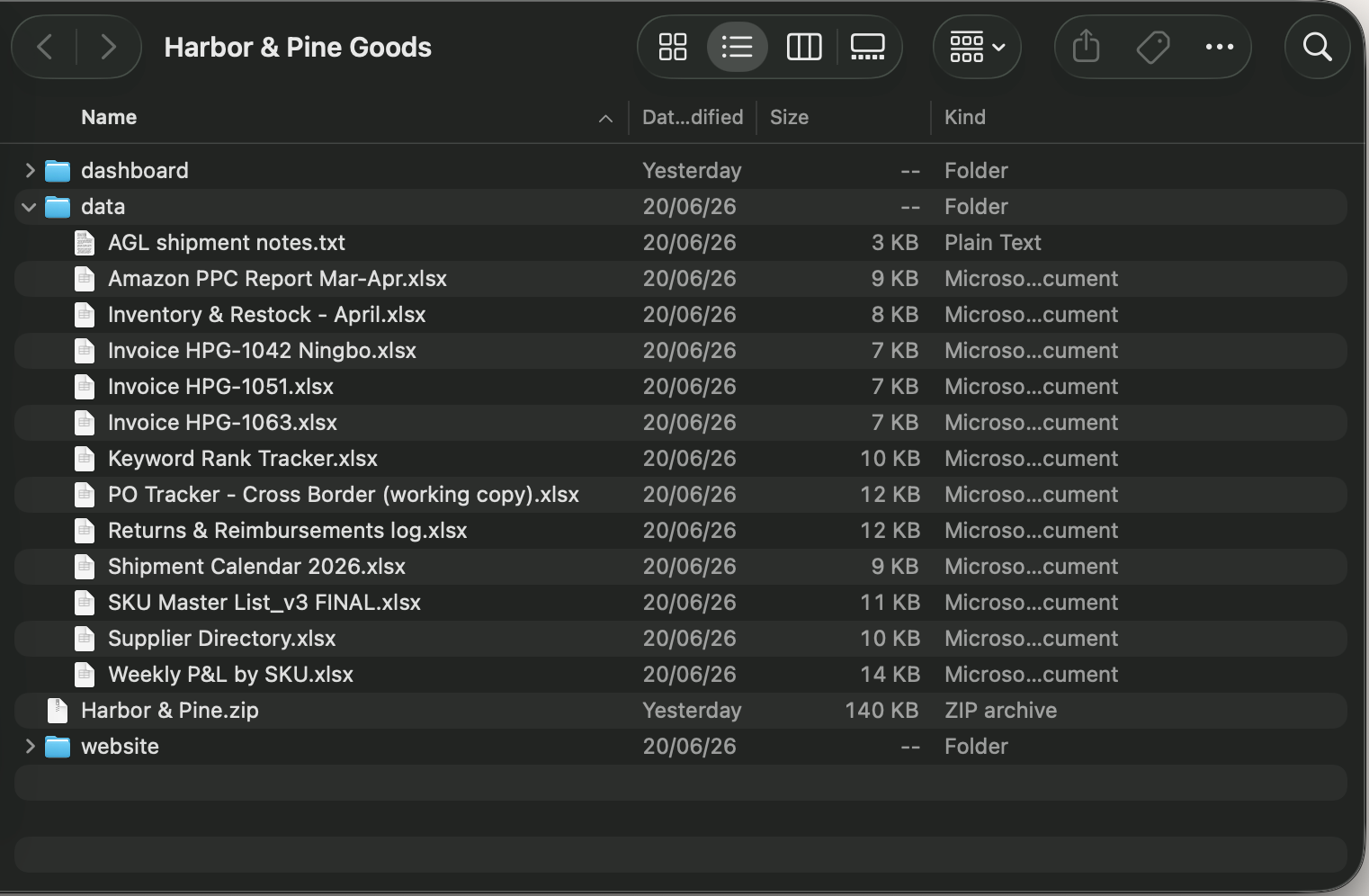
Folder of files
Customer returns log
Keyword rank tracker
Commercial invoice
Inventory snapshot
Amazon PPC report

Demo 2 · The prompt

Anatomy of a good prompt.

The dashboard is only as good as the brief. Here is what we gave Claude, and why each piece matters.

"Hey Claude, I need your help with something."

Context · who it is for

A folder, Harbor & Pine, for a client: an Amazon FBA seller buried in disconnected Excel files.

The problem · why it matters

He has no single place to see the state of his business or make decisions. It is cumbersome and easy to lose track.

The ask · what to do

Research the best dashboard designs and practices, read all of the data, and propose a highly visual, interactive dashboard he can act on.

The bar · what good looks like

A self-contained HTML file, easy to share and understand, following strong UX/UI and front-end practices.

Room to think · trust its judgment

Use HTML, CSS, React, or whatever fits. Think about what would truly be impactful for his business, and why.

Five parts, one complete brief: context, problem, ask, standard, and room to think.

Demo 2 · The result

Messy files become a live dashboard.
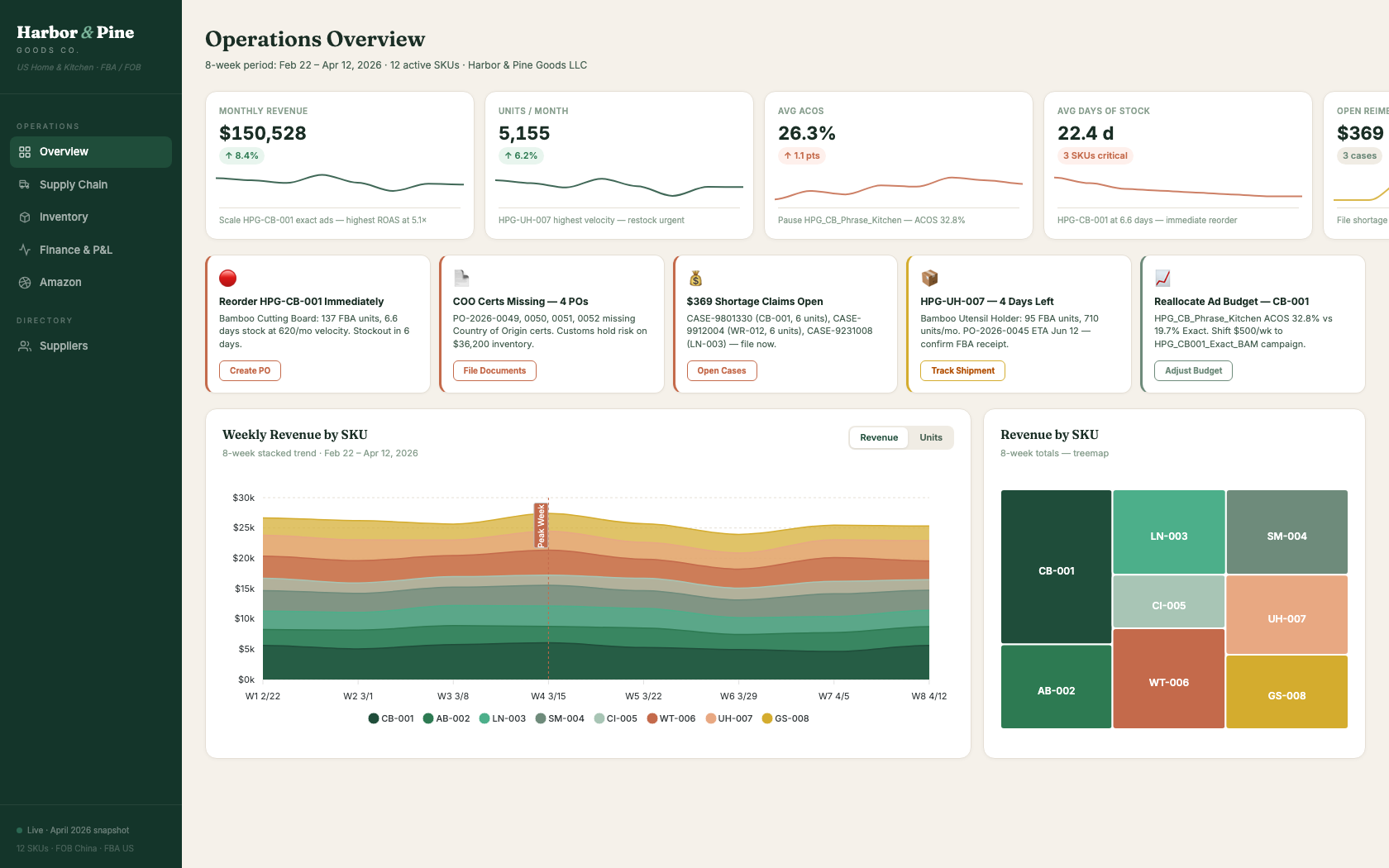
Harbor and Pine operations dashboard
Click to open the live dashboard

Demo 3 · Claude Code

Now hand Claude the keys.

The edge of Cowork

Cowork builds inside your folder. Putting things live, wiring up tools, and running big multi-part jobs is still on you.

What Code unlocks

Claude gets your whole machine and the internet: sub-agents for bigger builds, and live websites it can deploy and maintain, once set up, with very few manual steps.

You still don't write code. You describe the outcome.

Claude Code with keys to the whole machine

Demo 3 · The prompt

Anatomy of a bigger prompt.

Same idea, bigger reach. This brief asks Claude to research, design, check its own work, and put the site live.

"Okay Claude, on my desktop there's a folder called Harbor & Pine Goods."

Context · where the data lives

A folder on my desktop with the data from an Amazon FBA seller.

The goal · what to build and why

A commercial website that gives them a web presence: tell their story, show their products beautifully, and link back to their Amazon listings.

The ask · the build steps

Find which products they sell, spin up a sub-agent to search the web for high-quality photos, then use your front-end design skill and study great comparable sites.

Quality loops · make it check itself

Before showing me: critique your own design, spin up a graphic-design agent to review it against the design skill and propose fixes, then navigate the site with Playwright to confirm it holds up.

Ship it · deploy live

Host it live on Vercel using my Cloudflare account. You build and deploy; guide me through the one manual step, pointing the CNAME.

Same anatomy, bigger reach: now it researches, self-critiques, and ships.

Demo 3 · The result

The same data becomes a live website.
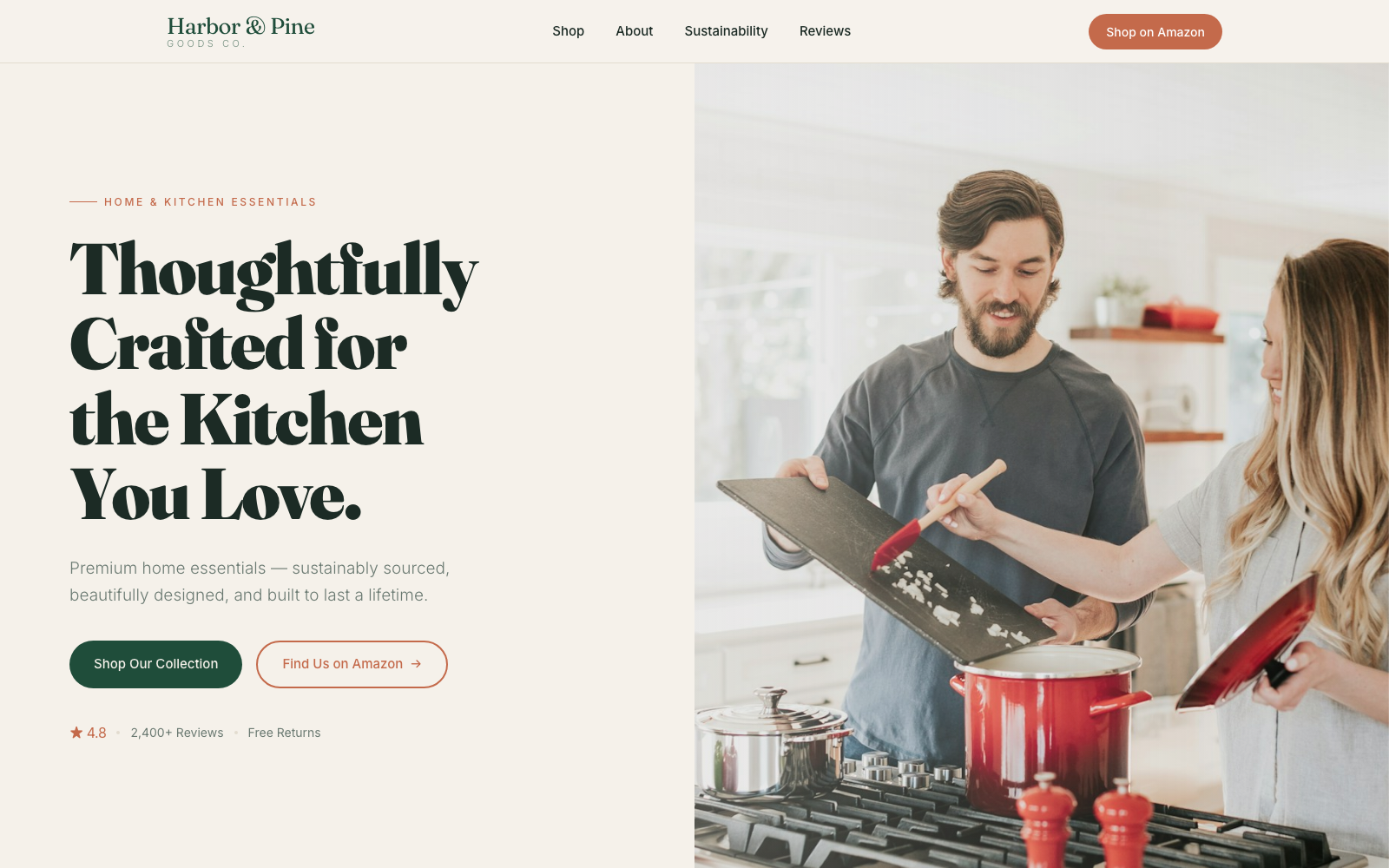
Harbor and Pine Goods website
Click to open the live website

Recap

One Claude. Three ways to work.

1Chat

Rent a cubicle

Claude.ai in your browser or on your phone. Best for everyday thinking: writing, analysis, research, and building a specialist inside a Project.

You give it a Master Prompt

2Cowork

Bring it to your folder

Works directly inside a folder on your computer. Best for turning a pile of files into something useful, like a live dashboard.

You give it Folder instructions

3Code

Keys to the machine

Your whole machine and the internet. Best for big builds Claude can research, refine through its own loops, and ship live.

You give it a CLAUDE.md

More reach at every step. The unlock never changes: give Claude context, and tell it what you want.

Limited Cohort

The 1, 2, 3 Claude Cohort

  • 4 sessions across 4 weeks
  • Only 5 seats, almost private
  • Your own custom assistant
  • Your own live dashboard
  • The complete mental model
$800 $1,000

20% off for tonight's 1, 2, 3 Claude attendees

First cohort begins mid-July. Secure your seat.

Scan the QR on the final screen to claim your seat.

Thank you.

Everything from tonight, in one place.

The full deck, the cheat sheet, and your 20% cohort seat.

123claude.aisherpa.me

AI Sherpa

aisherpa.me  ·  cal.com/santiago-restrepo

QR code to your workshop resources

Scan for your resources